


VOX Cinema offer is only valid when at least 2 tickets for the same show are purchased. The 2nd ticket is offered complimentary when at least 2 tickets are purchased.
VOX offer is not automatically applied when you use your Citi card for ticket purchase.
To see the offer you have to log in as a VOX member. If you are not a VOX cinema member yet, please register for free on the VOX website or the app.
As a Citicard member and registered VOX user, you are only eligible for 2 or 4 complimentary movie tickets at VOX cinemas in a month depending on your card type. If you have already used your complimentary tickets for the month, you may not be able to apply a discount anymore.
To know how many free tickets you are eligible for, please click here, choose the card you hold and check.
If you cannot see the offer in spite of logging in, it could be due to peak hours and many people trying to book through the VOX website or the app.
Please try in a while or call our 24 hour Citiphone banking to assist you further.
Make sure you are logged in on the VOX website.
You need to have one of our Citi cards and the card needs to be active to use the lounge facility
The lounges that you can use are dependent on the card that you hold with Citi.
For a full list of lounges please click here:
www.citibank.ae/uae/consumer/credit_cards/lounge_access.htm
Choose the card type and review the full list of lounges available
All Citi primary and supplementary cards entitle the card member to access the lounges
Certain card types allow the card member to take a guest along as well
For more information on this please click here:
www.citibank.ae/uae/consumer/credit_cards/lounge_access.htm
Choose your card type and review your eligiblity to take a guest along
Yes, a charge of USD 32 will be debited from your card for any additional guest per visit.
For a full list of lounges that you are entitled to use, please refer to our website:
www.citibank.ae/uae/consumer/credit_cards/lounge_access.htm
Choose your card type and review your eligibility to use the lounge
If you are accessing one of our approved partner lounges and are still refused an entry after showing them the eligibility from the website:
'Write to us' from Citi Online or email us at uaeservice@citi.com so that we can investigate this with our lounge partner.
No. Unfortunately, you need to have the physical card to access the lounge. The representative at the lounge will need to swipe the card to allow access
Unfortunately the lounge does not have the ability to check whether you are a valid customer of the LoungeKey program without swiping your bank card.
Based on the card you hold with Citi, there is a list of approved lounges that you can use.
Please refer to our website:
www.citibank.ae/uae/consumer/credit_cards/lounge_access.htm
Choose your card type and review your eligibility to use the lounge
Based on the card you hold with Citi, you might be eligible to take a guest along.
Please refer to our website:
www.citibank.ae/uae/consumer/credit_cards/lounge_access.htm
Choose your card type and review your eligibility to take a guest along for free
No, Marhaba service is a complimentary service that is offered only to primary card holders only
As a primary card member and depending on the credit card type you hold with Citibank, you are eligible for upto 2 free Marhaba services per year for one person.
For all details on this offer, please click here:
Depending on the credit card held by you with Citibank, you are eligible for upto 2 free Marhaba services per year for one person. If you are booking this service for more than one passenger, an additional charge is levied depending on your card type. For all details on this offer, please click here:
All requests for a Marhaba service booking should be made at least 10 hours earlier.
Requests made lesser than 10 hours earlier will be honored with some additional charges.
All offers are made on a best effort basis only
Marhaba service is valid at all Dubai international airports - Terminal 1, 2, 3 and DWC.
You can do an instant payments to various service providers in UAE
DU Prepaid/ Postpaid
Etisalat Prepaid/ Postpaid
Salik
DEWA
SEWA
Etisalat Telephone No / Elife/ Evision DU Land Line |
9-digit telephone number/ Account number | 0432XXX31 |
| Etisalat GSM/ WASEL/ WASEL Renewal/ Postpaid Mobile | 10-digit mobile number | 05012XXX67 |
| Etisalat Internet DIALUP, BROADBAND / Al Shamil - home services | Account number | 440XXX456 |
| Du Prepaid/ Postpaid Mobile | 10-digit mobile number | 05512XXX67 |
| Salik | 8-digit account number with 4-digit PIN | 123XXX78 Pin: 6789 |
| DEWA | 10-digit Contract Account number | 200XXX4567 |
| SEWA | Customer number | 123XXX7890 |
Please note that all one time passwords will be sent to the mobile number registered with us on our records
If you are travelling, the password might not be delivered to you due to network issues. Restarting your phone will refresh the network connection and will help
If restarting doesn't help, please call our 24 hour Citiphone banking service on 04-3114000 and an officer will help you
If a supplementary card holder is facing the issue, please ensure that a mobile number (different from the primary) is updated on the supplementary profile
If you have updated your mobile number in the last 24 hours, a system refresh needs to happen before you start receiving one time passwords on your new number. If you need to refresh the number immediately, please call our 24 hour Citiphone banking service on 04-3114000 and an officer will help you.
You will have to wait for 24 hours before you start receiving your one time passwords on your new number. Once updated, your number needs to be refreshed on our systems before your one time passwords are sent.
If you need to have the system refreshed immediately, please call our 24 hour Citiphone banking service and an officer will help refresh the number immediately.
If you have a supplementary card and a number is not updated on the supplementary profile, you might see double alerts. Please ensure that you update the supplementary number on our records. The supplementary card holder can log in to Citi Online and update the number there or the primary card holder can write to us from Citi Online with the new phone number details.
Yes, you can book your eligible transactions in to an Easy Installment Plan
Most transactions which are over AED. 100 can be booked into Easy Installment Plan. For a list of eligible transactions:
Yes, transactions made on a supplementary card can be booked into Easy Installment plans
However, only the primary card holder can authorize the booking
No, Only the primary cardmember can authorize account activity.
As the primary is responsible for payments on the card, we can only allow the primary card holder to authorize booking any plans or loans.
Your card could be on a payment related block or the card could be over limit.
You may not be able to convert a payment into an EIP on your statement date.
For further assistance, please call our 24 hour Citiphone banking on 04-3114000 and an agent will be happy to assist you.
Only retail purchases are eligible to be converted into Easy Installment Plans.
Cash transactions, transaction made at exchange houses and financial institutions cannot be converted into EIP.
You can convert a transaction into an EIP on Citi online once it is posted on your card and before your statement is generated.
For further details, please call our 24 hour Citiphone banking on 04-3114000 and an agent will be happy to assist you.
0% EPP is offered is only at specific partners. Please visit our website https://www.citibank.ae/credit-cards/installment-loan/easy-installment-plan/zero-installment-plan to know more about the partners who offer 0% Easy Installment Plans
No, a 0% Easy Installment Plan can only be booked when the purchase invoice/ Invoice number is produced.
However, you can still book a regular EPP.
Simply call our Citiphone banking service on 04-3114000.
As mentioned in the terms of the plan, in case you choose to settle your installment plan before the chosen tenor you will be charged 1% early settlement fee on the unbilled portion of the principal amount plus accrued interest till the date the loan is active.
Yes, you can change the tenor of your existing EPP. Please call our 24 hour Citiphone banking service on 04-3114000 and an agent will be happy to assist you
Minimum Payment Due is calculated as 2.74% of the current balance on Statement of Account, plus, if applicable
If your Current Balance is less than AED 100, then your Minimum Payment Due will be equal to your Current Balance
A late payment fee is charged to you in the following scenarios.
The late fee is levied in addition to the interest on the outstanding amount at Citibank's Credit Card interest rate which you can find in our website: www1.citibank.ae within the "Rates & Fees" section listed on Citi UAE homepage, in the bar right at the top.
If you are a Simplicity card customer, you will not be charged a Late Fee
If the total outstanding balance on the card exceeds the credit limit at any time, or if the current balance as shown in the statement exceeds the credit limit, with the exception of an excess arising due to Instaloan, an over limit fee will be charged to the cardmember.
The total outstanding balance and the current balance will include outstanding purchases, cash advance and any interest, charges or fees levied on the card account.
If you are a Simplicity card customer, you will not be charged an Over Limit Fee.
If you do not pay the full amount due or make partial payment, interest will be charged and shown in the next statement date. This is calculated individually on each transaction from the respective transaction date to the next statement date.
Finance Charges will also be applied to purchases made in the current cycle, from the transaction date until payment in full of all outstanding amounts.
Interest will not be charged on purchases for up to 52 days, from purchase date, if you pay the full balance by the Payment Due Date, depending on the date of the purchase.
Interests will be charged on Cash Advances and other installment products from the date of such transaction occurring.
When you take a Cash Advance from a branch or ATM you will be charged a Cash Advance Fee.
This is in addition to interest charged on the amount withdrawn from the date of withdrawal.
If you are a Simplicity card customer, you will not be charged a Cash Advance Fee.
In any given month, a Citi Card member is only entitled to earn miles / points for transactions carried out up to the extent of the assigned Credit Limit on the Card. Transactions exceeding the assigned Credit Limit shall not be entitled to earn miles / points during that month. A 'month' as stated in this clause is the timeframe transpiring between each statement date.
Purchases made at grocery stores/supermarkets and real estate related merchants are entitled to earn 50% Skywards Miles. These Terms and Conditions may change time to time and most updated information can be found on "Skywards Miles Terms and Conditions" in our website www1.citibank.ae within the Credit Card / Emirates - Citibank section.
Skywards Miles will not be awarded in selected categories of purchases:
Your Credit Report is a snapshot of all the borrowings and credit products you may have ever requested or held with any bank or financial institution operating in the UAE. When you apply for credit - whether for a credit card, an auto loan, a mortgage etc. - lenders are mandated to consult the AECB Credit Report to evaluate your ability to borrow and understand the potential risk associated to the application.
Banks and Financial Institutions, each within their risk appetite boundaries, analyze the healthiness of a Credit Report (the level of exposure, the repayment history, etc.) when making a decision on providing credit. A healthy credit report with timely payments, balanced level of indebtedness, wise usage of credit, etc. favors your ability to get new or additional credit.
The information in a customer’s credit report is provided by all financial institutions that the customer requests or holds credit with in the UAE, as required by Federal Law, in addition to other sources such as telecom companies and utilities.
Credit reports issued by the Bureau include details about consumers’ debt levels, financial obligations, credit payments history and default payments for the past 24 months.
Customers can get their Credit Report anytime and anywhere using Al Etihad Credit Bureau (AECB) online services or the AECB mobile application. The app is available for both iOS and Android users on Apple and Google stores. To download, please use links below or visit aecb.gov.ae
From the app the client can select the report type and complete the payment. And they will receive the report via email within minutes. Alternatively, clients can visit Customer Happiness Centers from Sunday to Thursday: 8:00am to 3:30pm and Saturday: 9:00am to 12:30pm to request a report, charges will also apply for this option. For more details, please visit www.aecb.gov.ae.
Towards the end of your credit report there is a section called “Credit Providers” in this section each provider (bank, telecommunications company etc.) will be assigned a provider number (3 digital alpha numeric code) which is listed beside the Provider Description (company name). This same provider number will show beside the application or credit facility and this is how you will know which provider a particular application or facility relates to
If you have applied unsuccessfully for a credit facility, this application will continue to show under the applications section or your credit report. However, only successful applications will appear in the Credit Facility section of your report. Rejected applications cannot be removed entirely from the report as the application was made, regardless of outcome, and Citi must report in alignment with the Credit Reporting Guidelines as stipulated by the AECB.
Disbursed status means the loan or card has been approved. Funds have been disbursed by the provider bank
Requested status means the loan or card has been requested by the customer via an application. If an application is successful it will move to “Disbursed” status. If you continue to see an application under ‘Requested’ status on your latest Credit report, even though it has been decisioned (approved, cancelled or rejected) please feel free to reach out to us.
We are committed to ensure your Citi credit record in AECB is up-to-date, but if you believe that recent updates in your account activity are not accurately reflected on your Credit Report, we advise you to:
We recommend that you obtain a copy of your most current credit report so we can accurately investigate what has occurred.
If you have a copy of this report you can submit the dispute via email to CBDisputes@citi.com and include the following information:
Based on the nature of the update required, resolutions of emails sent to Citi may take up to 20 working days.
In case you want to dispute any information reported by another institution, you may write to AECB at disputes@aecb.gov.ae
More information is available on the information center on the AECB website www.aecb.gov.ae
All frequently used currencies are available on Citi Online and Citi Mobile for money transfers
You can send money in 95 different currencies
An instant processing is available for majority of currencies
You can initiate funds transfer on Citi Online and Citi Mobile up to USD 10,000,000.
Money Transfers upto USD 250,000 are processed instantly and amounts over USD 250,000 will be transferred after a short call back.
Daily instant limit is set at USD 250,000 on Citi Online and Citi Mobile.
Citi Global Transfers - Transfer to Citi accounts across the globe have different limits.
Below are the different money transfer options available on Citi Online and Citi Mobile
3 types of charges apply on an outgoing fund transfer, Citibank fee, FX rate and beneficiary or corresponding bank charge (which may or may not apply)
Citibank fee: This fee depends on the amount being transferred and can vary between USD 10 and USD 50 for online transfers and USD 20 and USD 150 for branch transfers. Further details are updated on our schedule of fees and charges
There are 3 options on who bears this charge
SHA - Charges are shared between the customer and beneficiary
OUR - Charges are completely borne by the remitter
BEN - Charges are completely borne by the be beneficiary
** Hyperlink to SOC
Once a fund transfer instruction is submitted, you can either recall or amend your fund transfer instruction by writing to us from Citi Online. Please follow the below steps:
Since this type of request needs us to liaise with the beneficiary bank, it will be done on a best effort basis.
If you need to trace the fund transfer, please write to us from Citi online and we will raise a request to trace the funds from the corresponding bank or the beneficiary bank.
Once traced, we will notify you of the status of your fund transfer request
Citi are bound by the regulations of the UAE Central Bank to ensure that all account holders with Citi UAE are current residents of UAE. To meet this obligation, we request for valid EID from all account holders.
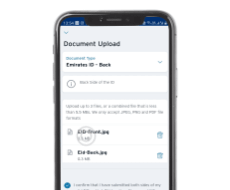
To prevent account restriction, we require a valid ID for all account holders. Please make sure you upload the same for all parties if you have joint account holder(s) whose ID has expired as well. To ensure the safety and security of your confidential information please submit your documents via our secure document upload function on Citi Mobile® App in 4 easy steps :
Step 1
Login to the Citi Mobile® App.
Step 2
Go to Profile and Settings and tap on Document upload.
Step 3
Verify using Mobile token and Select Purpose- Update Emirates ID.
Step 4
Upload the front and the back of Emirates ID. You can either upload or take a picture of your Emirates ID.
Alternatively, you can also login to www1.citibank.ae, select “Service Center” from the top blue banner then “Document Upload” which is the last option on the drop down to upload the Emirates ID or send us a copy of your EID (front and back) to uaeservice@citi.com. They should be saved as jpg, pdf, gif, pnd and the file size should be under 2MB.
Once the process is complete, you will receive a confirmation within 4 working days.
Yes. All account holders must be UAE residents with valid and current Emirates ID on file.
If one of the joint account holders is no longer a resident, there are two options available to you. The first being to have the non-resident removed as a joint account holder. This can be requested through the "write to us" secure mail option via Citi Online. The second option is to transfer the funds to another bank account via Citi online.
In this case the accounts will be closed and we will assist you to transfer the funds to an overseas bank account of your choosing.
Please contact us through the "write to us" secure mail option via Citi Online and request for your accounts to be closed. Contact Citiphone on +971 4 311 4000 who will temporarily enable your account until end of business day (6pm Standard Gulf Time) so you can log into Citi online and transfer your funds to the account of your choosing.
Make sure your card is activated before you register/login.
If you are receiving 'Information not recognized' error:
At registration:
At login (already registered):
You can select the User ID Reminder link on the Sign On page. Enter your active Debit/Credit Card Number, card expiry date and date of birth and the One-Time Password you will receive on your registered primary mobile number, and Citibank Online will display your registered User ID immediately. Incase Citibank Online shows that your Card is not linked to a User ID, you will need to register your Card using the Register option on the Sign On page.
You can select the Forgot your password? Link on the Sign On page, which allows you to reset your Password by entering
If you have 3 failed login attempts, your online account access will be blocked. To regain access, please make sure you are using the correct user ID, and then select the Forgot your password? link. Here is what you will need to enter:
If you have entered the One Time Password incorrectly 3 times before you Sign On, your online account access will be blocked for 24 Hours. You will need to try again the next day.
If you have entered the One Time Password incorrectly 3 times after you Sign On, your User ID will be blocked. You can proceed with unlocking your User ID by following the Password Reset steps by clicking on the Forgot your password? link.
Here's how to change your Citibank Online Password:
Make sure you did not enter space or special characters
Yes, there are guidelines you can follow when creating your password and ways to protect it after the fact.
Choose a Good Password.
These tips make it difficult for others to guess your password and help protect your account.
| Tips | Examples |
|---|---|
| Do use at least 6 characters and a combination of letters and numbers. | Good Passwords fireman28a 5occerfan1963 mar23mbbd |
| Do not use single words that can be found in any dictionary. | Bad Password kangaroo |
| Do not use your name, your spouse's name, your pet's name, birthday, favorite food, or any personal information that others can easily obtain. | Bad Passwords viperfan fido (pet's name) |
| Do not use a password that contains part of your Online User ID or emailaddress. | Bad Password jimmy (while your ID is jimmyinjersey) |
Password and Account Protection.
There are several ways to protect your password.
Please call our 24-hour CitiPhone Banking Service on +971 4 311 4000.
CitiPhone IVR
Alternatively, you can visit any of our branches or financial centers:
Please click here to find the closest Citi branch, financial center, or ATM to you.
* Standard online fees and charges apply as per the schedule of fees and charges
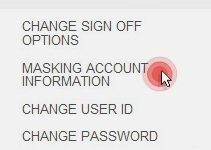
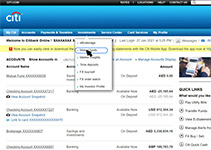
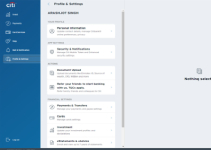
This is an enhanced security measure to protect our customers' private data. Partially hiding account numbers and card numbers in our Citibank Online area is a security measure for protecting our customers' private data. If you wish to reveal the whole data, you can set it in the "My Profile" menu:

*Please note this screen is for illustrative purpose only.
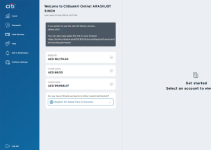
Uncheck the checkbox to unmask your sensitive data and click on "done" to complete your request.

*Please note this screen is for illustrative purpose only.
Please note that masking will be reset automatically after you sign off for security reasons.
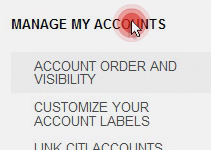
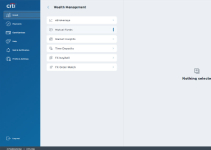
There are several ways to easily manage the overview of your accounts:
If you have been receiving OTP before and you have not changed your mobile number recently, please call Citiphone to get the OTP instantly through our IVR system.
If you are sure that the mobile number is correct and still the OTP is not received, call Citiphone for further assistance
You sign on Citi Mobile® app by entering your user id and password that you use for Citibank Online.
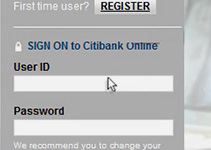
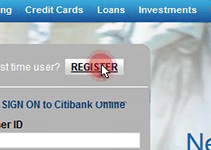
If you are a first-time user, please click on "REGISTER" button on the application and follow the instructions.
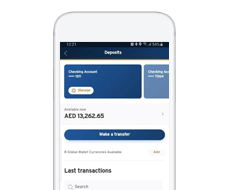
Sign on the app and select the Transfers option from the left-side menu. Select the account from which you want to transfer money, then select the payee and enter the amount to be transferred.
You may also choose to "Make a transfer to a new account" option and enter new payee details.
Citi Mobile® app is available for Android and IOS devices. Depending on your smartphone you may download Citi Mobile® app from Google Play store or App Store only on UAE stores.
What should I do if I cannot register or login?
Make sure your card is activated before you register/login. If you are receiving 'Information not recognized' error:
At registration:
At login (already registered):
Citi Mobile® app is available for Android and IOS devices. Depending on your smartphone you may download Citi Mobile® app from Google Play store or App Store only on UAE stores.
You sign on to Citi Mobile® app by entering your user id and password that you use for Citibank Online.
If you are a first-time user, please click on "REGISTER" button on the application and follow the instructions.
You can always uninstall and re-install the Citi Mobile App if facing any performance issues. New updates and the latest version of the app available @ www.citibank.ae/mobile
If you use an Apple iPhone that supports Touch ID technology, the app will automatically detect this feature. After signing on you will be asked if you would like to use the Touch ID sign on. You will be directed to the service activation screen, where you only need to select the "Enable" option. That is all! Next time you open the app you will be able to sign on using your fingerprint.
If you forget your password or user id, select the Forgot user ID or password option available on the sign on screen. You will be redirected to Citibank Online and follow the instructions.
If you forget your password or user id, select the Forgot user ID or password option available on the sign on screen. You will be redirected to Citibank Online and follow the instructions.
Make sure you did not enter space or special characters.
Yes. To do this, sign on the app and select the Transfers and Payments option from the left-side menu. Select the account from which you want to transfer money, then select the payee and enter the amount to be transferred. Once you confirm the details entered and authorise the transaction, the transfer will be performed.
You can check current exchange rates after signing on the app, by selecting FX rates from the left-side menu.
Yes. To do this, sign on the app and select the Transfers and payments option from the left-side menu. Select the account from which you want to transfer money, then select the Utility Bill payee and enter the amount to be transferred or select "Make a transfer to a new account" option and fill out new payment details. Once you confirm the details entered and authorise the transaction, the transfer will be performed.
In order to split a transaction made with Citibank credit card into installments, sign on the system and select the EIP option from the left-side menu. The minimum transaction amount that can be split into installments is AED 100. Terms and conditions apply and can be reviewed here.
To activate your card, sign on the app and select the Card activation option from the left-side menu. Select the card you wish to activate and enter details correctly. After assigning a PIN number successfully, your card will be activated.
For your security we recommend signing out each time after using the app.
Each time you get a new phone we recommend that you uninstall Citi Mobile® app from your old device.
If you receive an error message, restart Citi Mobile® app. If the problem persists, we recommend to reboot the phone. If you have any further problems, please contact the Bank and describe the problem, and possibly provide the error code.
With Citi Mobile® app you can link your debit card to a selected foreign currency account. To do this, sign on the app and select the Card Linkage option from the left-side menu.
If you need extra cash, you can make an immediate transfer from your Citibank credit card to your account. Sign on the app and select the Payments and transfers option from the left-side menu. Select the Credit Card from which you want to transfer money, then select the account you want to transfer the amount in and enter the amount to be transferred. You can choose the amount within the available card limit.
Cash Advance charges will apply - Terms and conditions and Schedule of Fees and Charges can be reviewed here.
Please visit Citi Online, click 'Service Center', select 'Write to us' and raise a complaint or request.
You can also contact our 24 hour Citiphone Banking Service on +97 14 3114000.
Please print and fill in the form and fax it on the number provided.
Please print and fill in the form and submit it at a Citibank Branch / Financial Center nearest to you.
Investments
For investments securities that are not pledged as collateral, they may be redeemed by sending the below attached redemption form through:
Email : uaeservice@citi.com
Important Information
An advice will be dispatched to you after complete processing of the investment redemption has been conducted.